 Tim Disney
Flint January Updates: Markdown Live Preview & Search
Flint now supports live preview for markdown syntax!
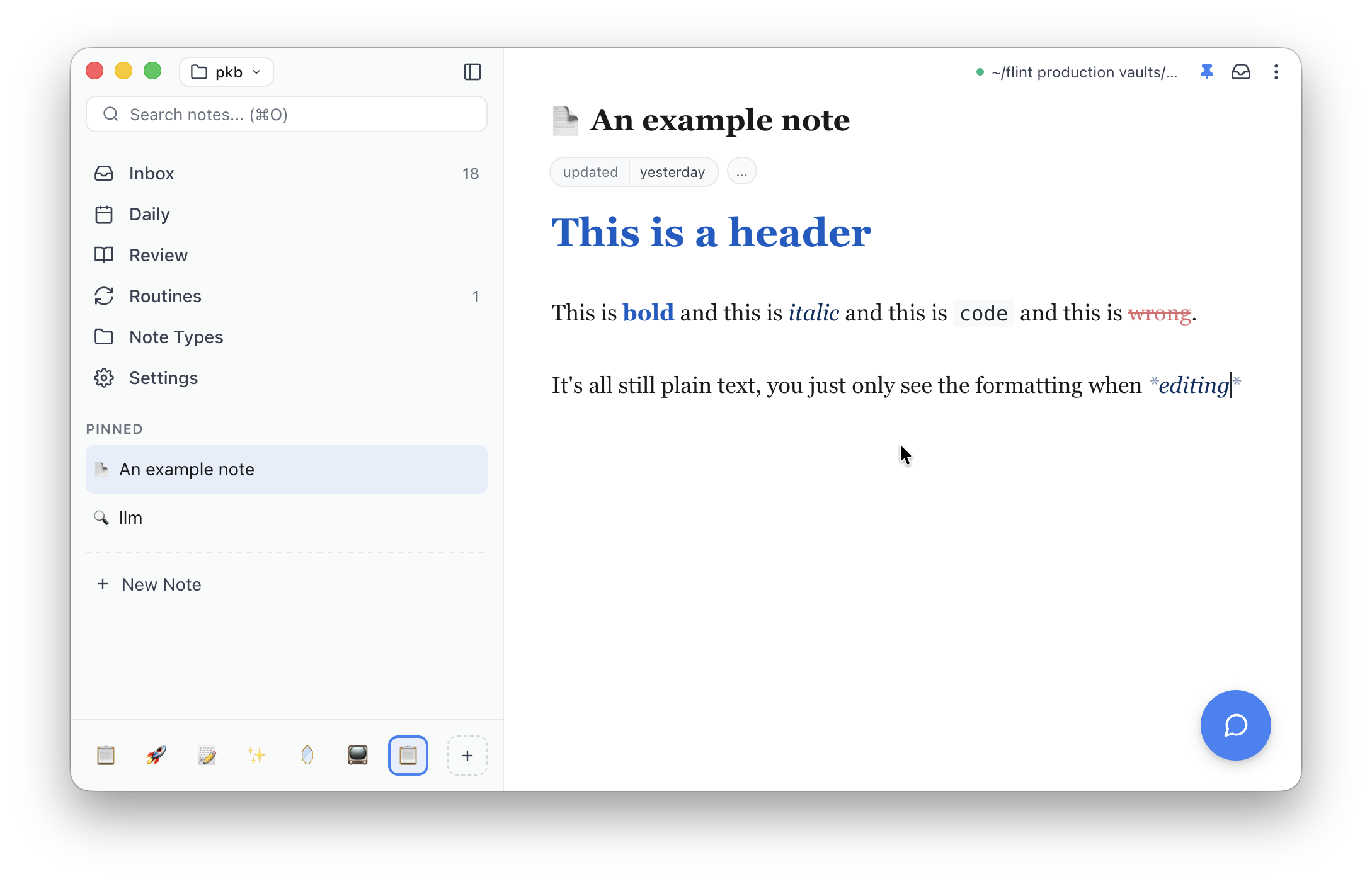
This should make viewing your notes much nicer. I'd been reluctant to implement live preview before now because I figured it would be tricky to implement and also I like plain markdown just fine. But, my husband's first round of feedback when I made him try Flint was that raw markdown sucks (he said it gently of course lol). Getting it working was way easier than I'd made it out to be so I really should have gotten to it earlier. Ah well.
Relatedly, I've also added a bunch of UX affordances to make formatting easier and more discoverable.
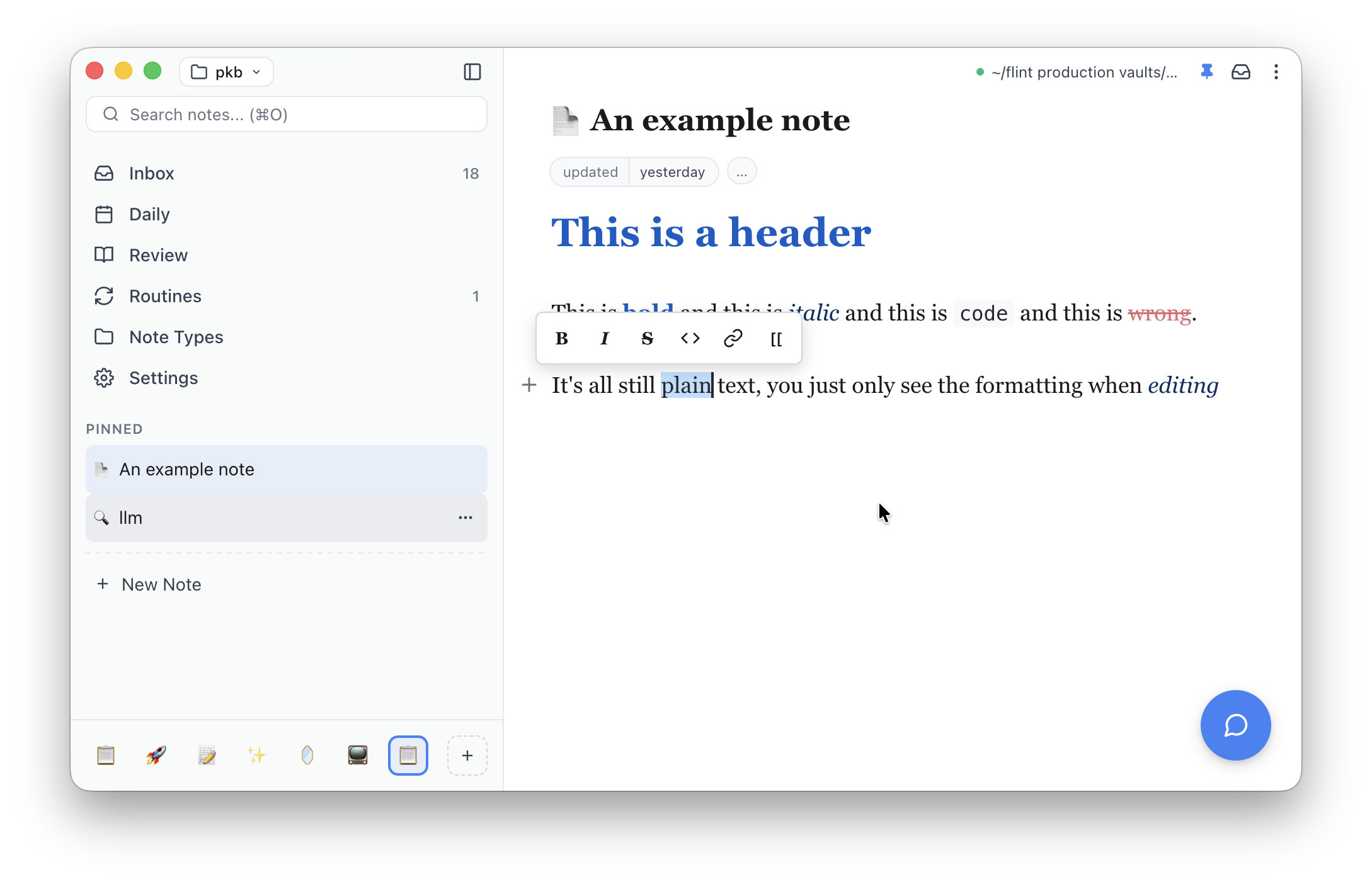
Now when you select text a formatting window pops up so you can apply your bold formatting choices.
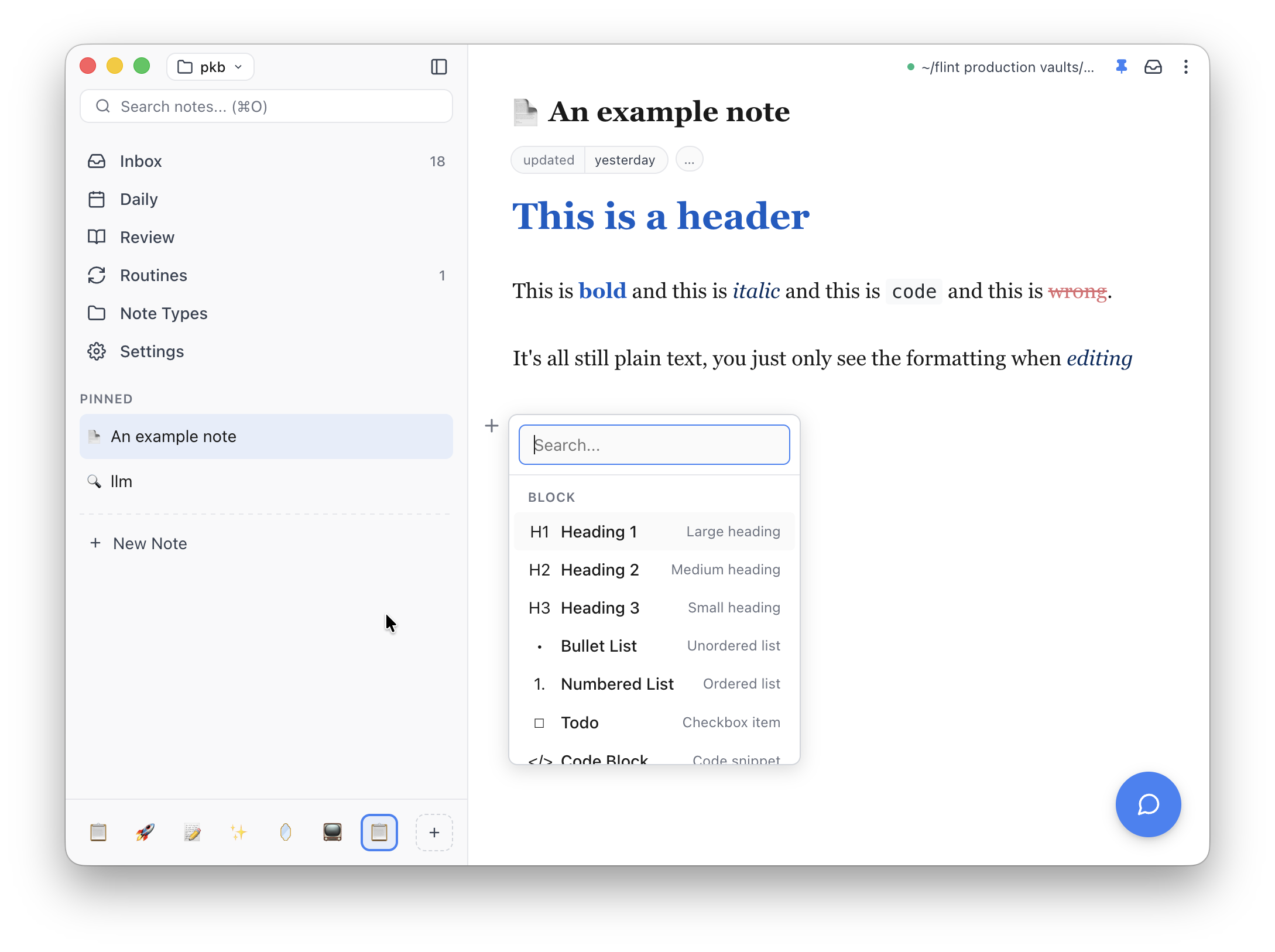
We also now have a "+" button in the gutter (alternatively toggled by typing /) that allows you to insert block level syntax like headers and quotes.
Search improvements #
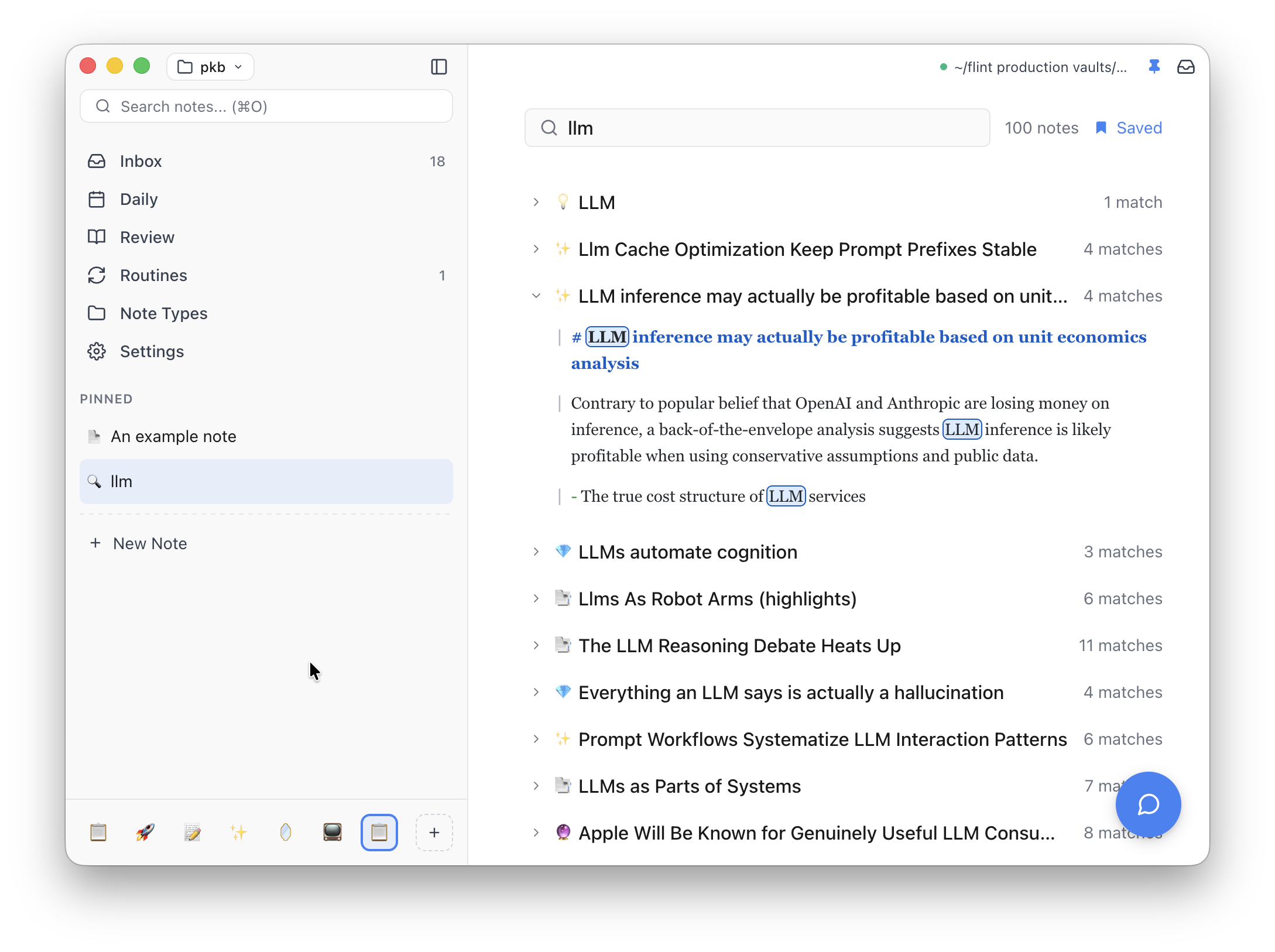
Up until now search results have been limited to showing matched titles and small snippets of note content. Now Cmd+Shift+Enter (or Ctrl+Shift+Enter on Windows/Linux) opens an expanded search result screen that shows matches across all notes. Searches can also be saved in the sidebar too so you can refer back if needed.
So that's what's changed recently. Take a look and as always let me know what you think.