 Tim Disney
Flint December Beta Updates (Open source and so many features)
Progress on Flint has been going incredibly well! I'm recently back home from a great trip to Japan and with the release of Claude Opus 4.5 I've kinda been going beast mode on Flint development. Here's a roundup of all the features I've managed to ship in the past couple of weeks.
Flint Beta is Open (Source) #
First up though, the Flint beta is now open to anyone who wants to kick the tires. You can download it here.
Not only is it free to download but I've also committed to open source. Flint's code is now free and available on GitHub.
Core to my vision of Flint is that you own your thinking and for that to be true you must also have control over the means of (note) production. So open source it is.
On to the actual features.
Review Mode #
Review mode is a key piece of the "resurface" design pillar I've written about previously, which is all about helping you meaningfully re-engage with your notes over time.
The way it works is any note you click "Enable Review" on is added to your review queue in the new "Review" system view. When you start a review the agent reads your notes and generates a question to get you to meaningfully engage with the material.
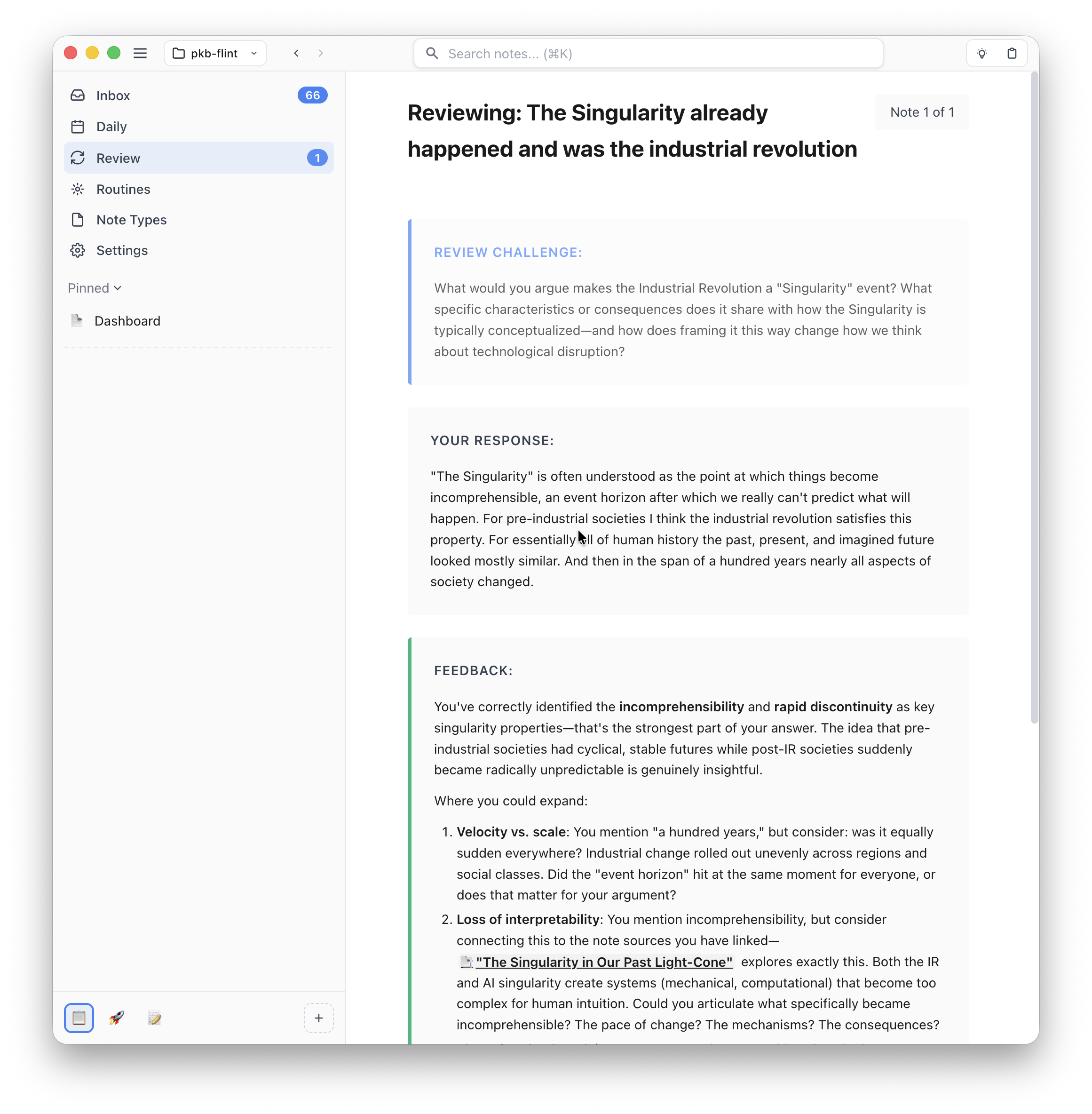
You can then write a response and mark how well your engagement with the note went. Based on your response the note is scheduled for review sometime in the future.
I think this mode is a pretty big deal. Spaced repetition is a well-studied and powerful technique for learning but creating effective prompts has always been a challenge. I think integrating the prompt and scheduling interface into your note-taking system unlocks something special.
EPUB/PDF/Web Viewers with Highlighting #
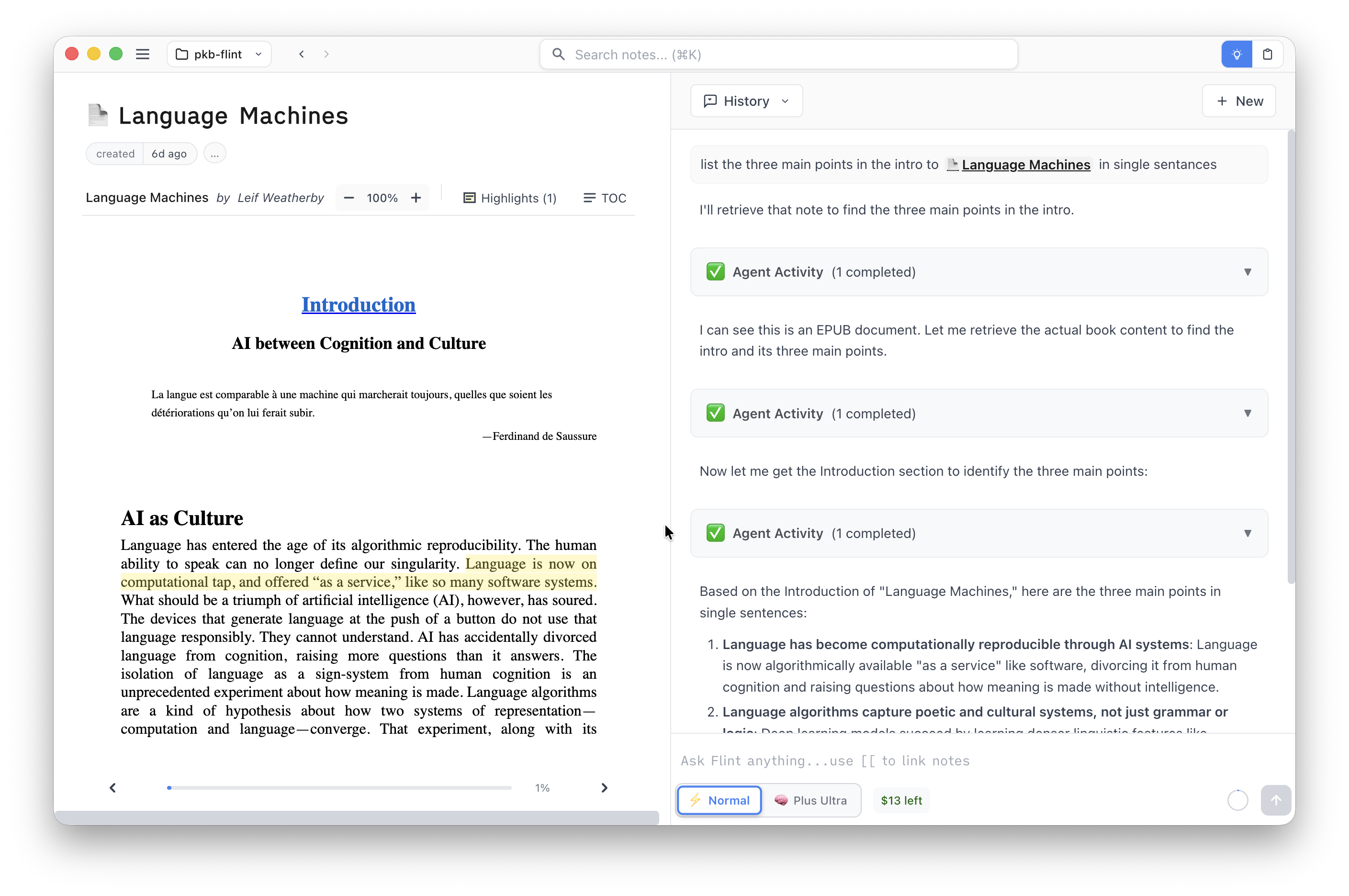
To help create more material for you to review, you can now add EPUBs, PDFs, and web pages to Flint. Each file type has its own optimized viewer and each viewer has support for making highlights. And, of course, the agent can read your books too.
Decks (aka Queries/Databases/Bases) #
To help you keep track of all the notes you will now be creating I've also added Decks. Decks allow you to build dashboards of notes that match specific filters (a bit like Notion's Databases or Obsidian's Bases). Use it to track things like reading/watch lists, todo lists, etc.
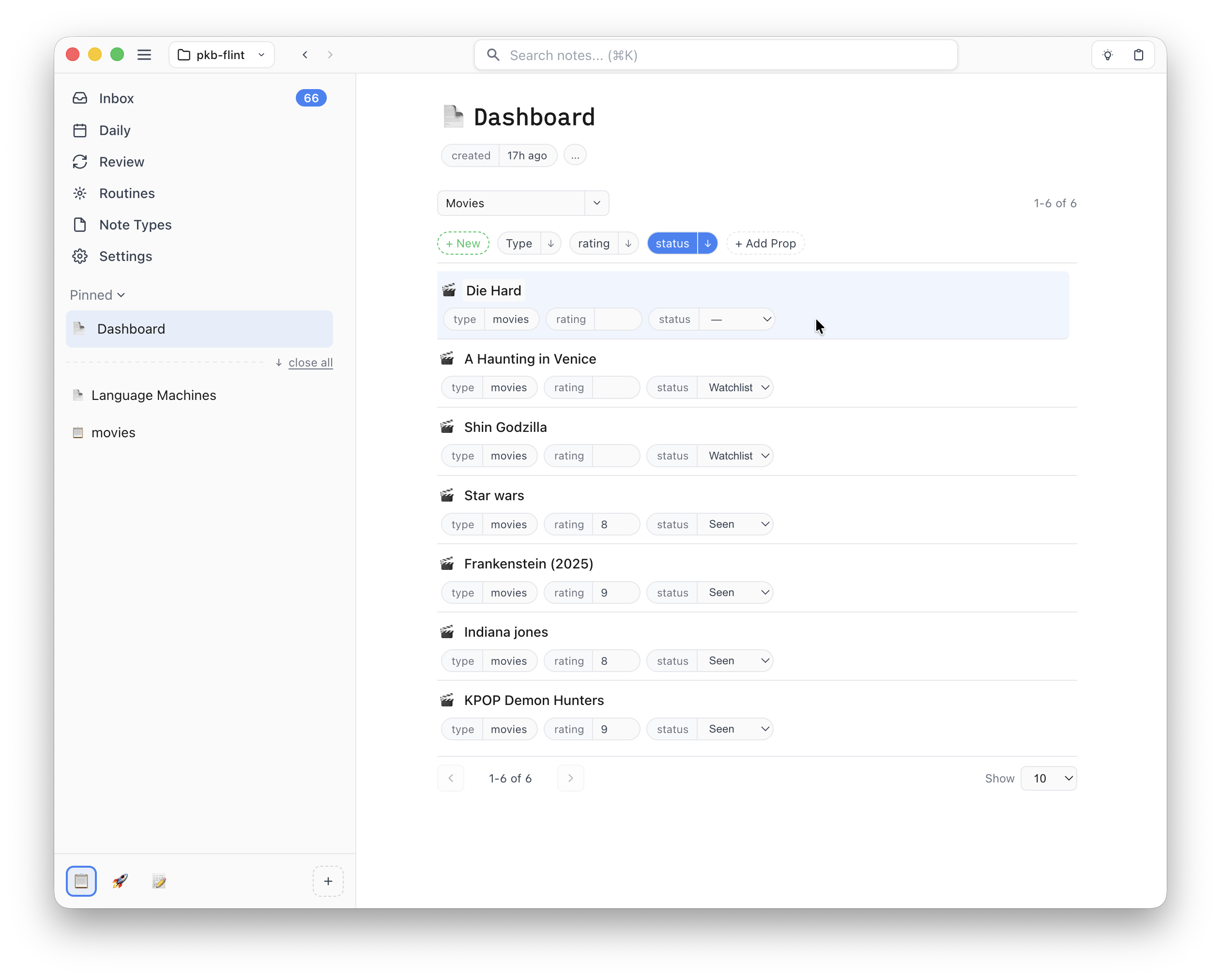
For example, if you create a "movie" note type with properties like "rating" and "status" you can create a deck to track your favorites (type = movie AND rating >= 8) and another deck to track your watchlist (type = movie AND status != "seen"). No need to memorize the query syntax though, the UI lets you easily build complex filters and the agent is also very capable at building decks for you.
Each row in a deck is live—you can directly edit the title and properties to quickly keep your notes up to date.
Workspaces #
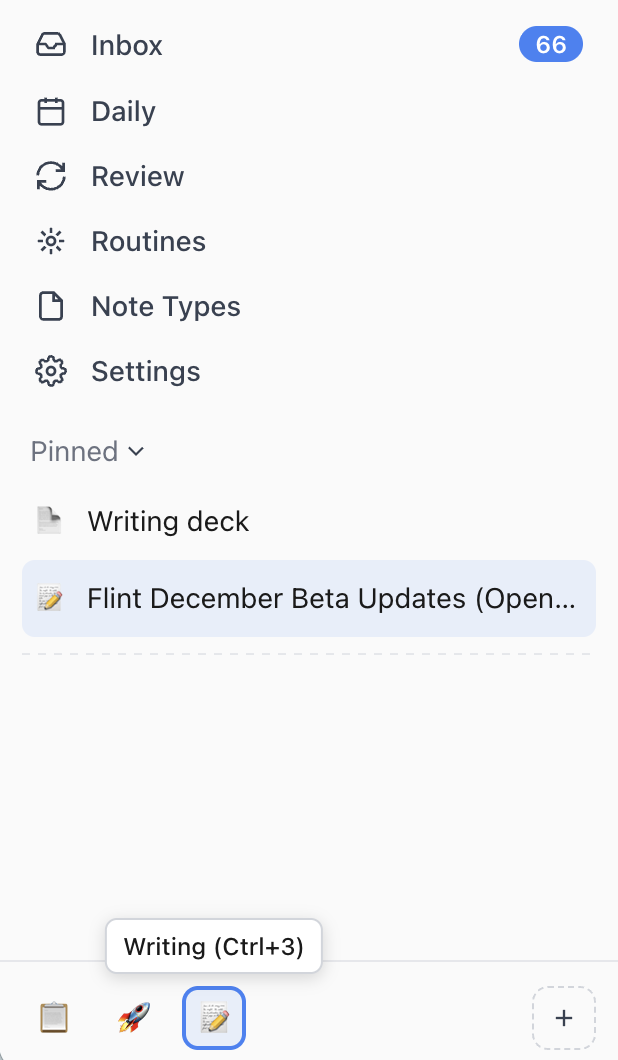
Workspaces are another feature to help you keep track of all your notes. They allow you to create focused groups of Pinned/Recent notes and quickly switch between them with keyboard shortcuts. Workspaces are great for creating dedicated groups of notes for managing different projects. As an example, I currently use the following spaces:
- Default (unorganized, in-the-moment notes)
- Flint (my notes about Flint development)
- Writing (blog post drafts and supporting material)
Full Text Search #
The search bar now performs full text search across your notes:
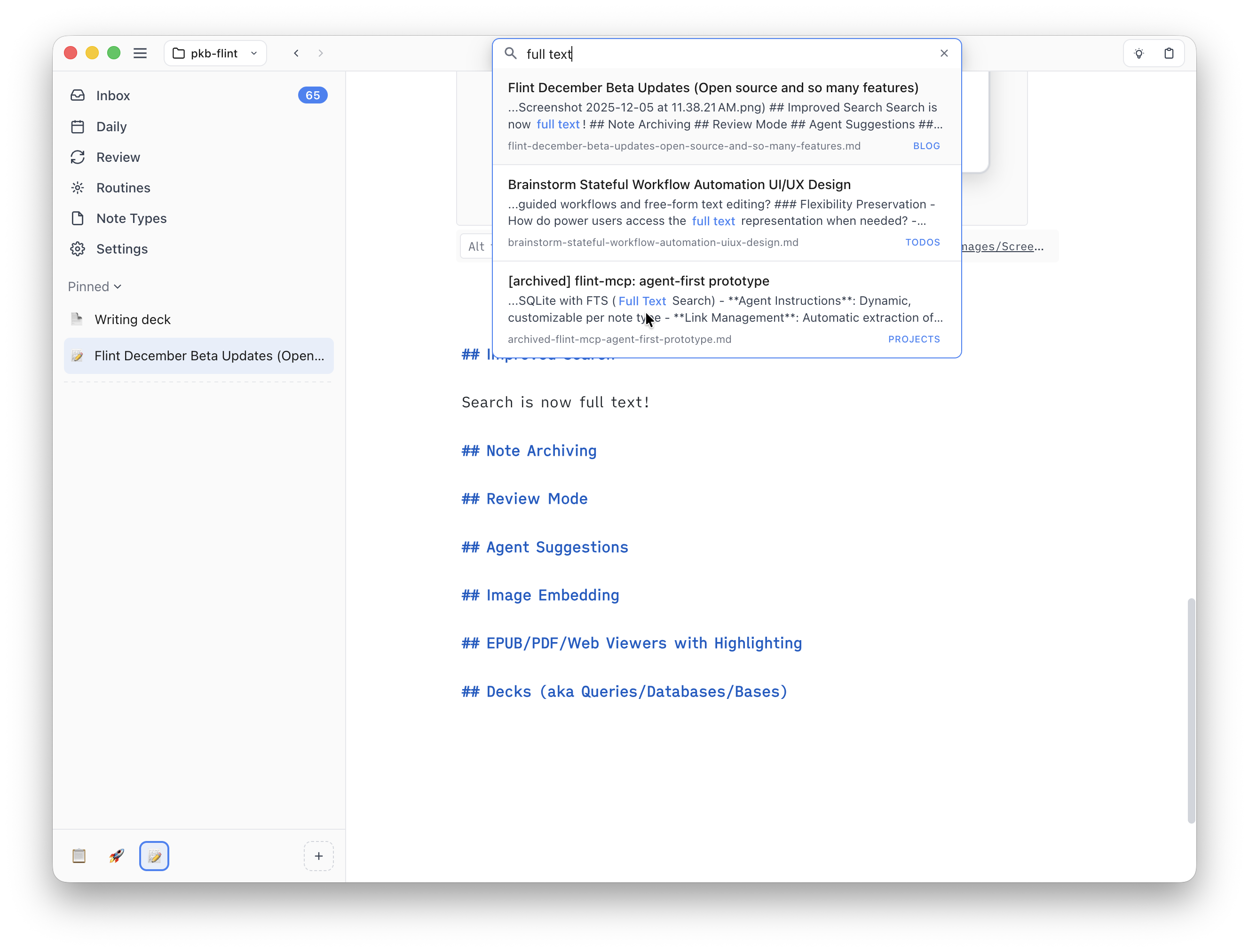
Previously search only matched note titles. It now prioritizes note titles to make switching between notes easier but will also search note content.
Note Archiving #
To keep your vault clean you can now archive notes. Archived notes are not deleted but will no longer show up in search or link autocomplete lists. All existing links to archived notes will still work, you just can't make any edits until you unarchive.

Image Embedding #
You can now embed images in your notes:
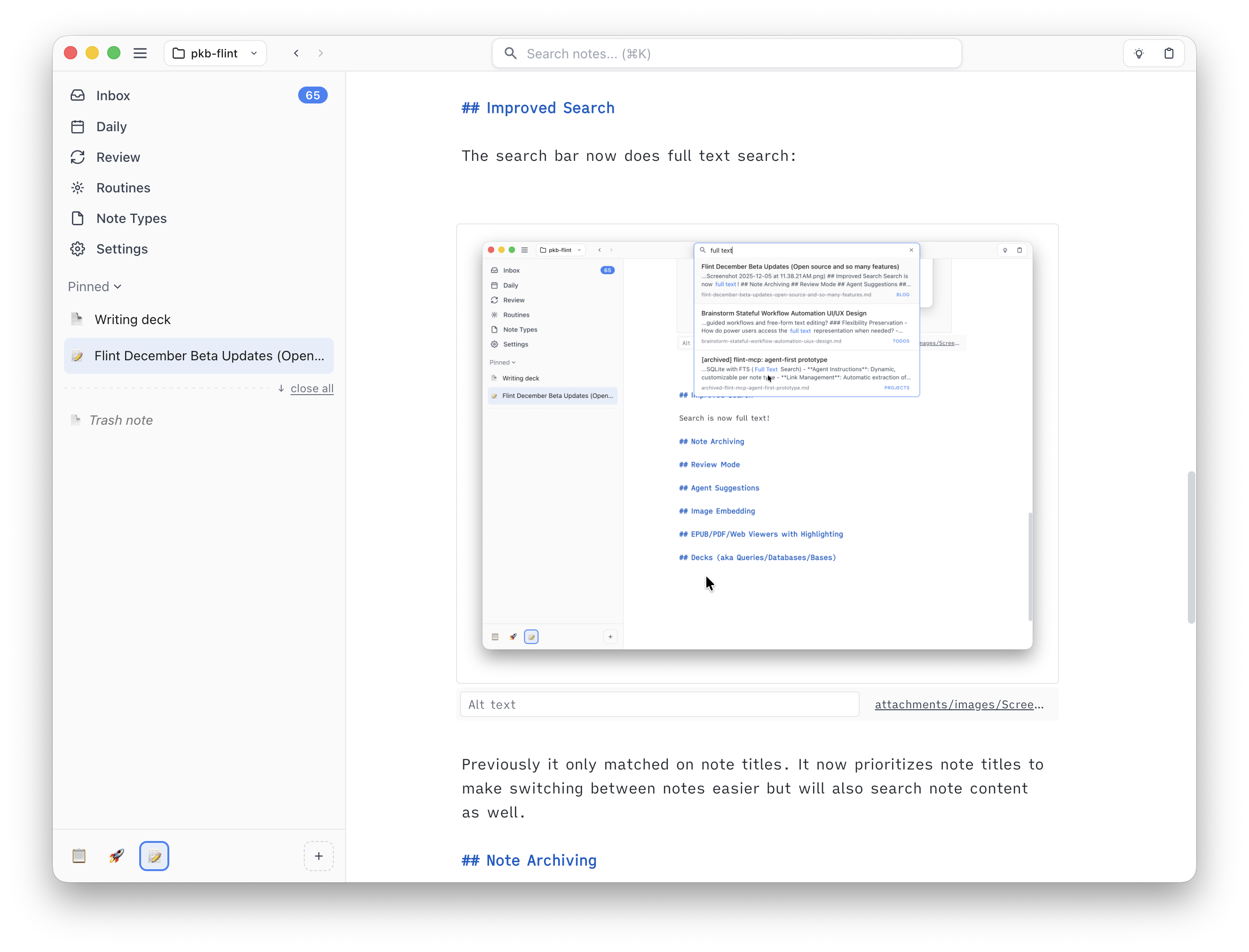
Just drag and drop in image files from the finder/file explorer.
Agent Suggestions #
You can now have the agent generate suggestions for how to improve a note with comments along the side:
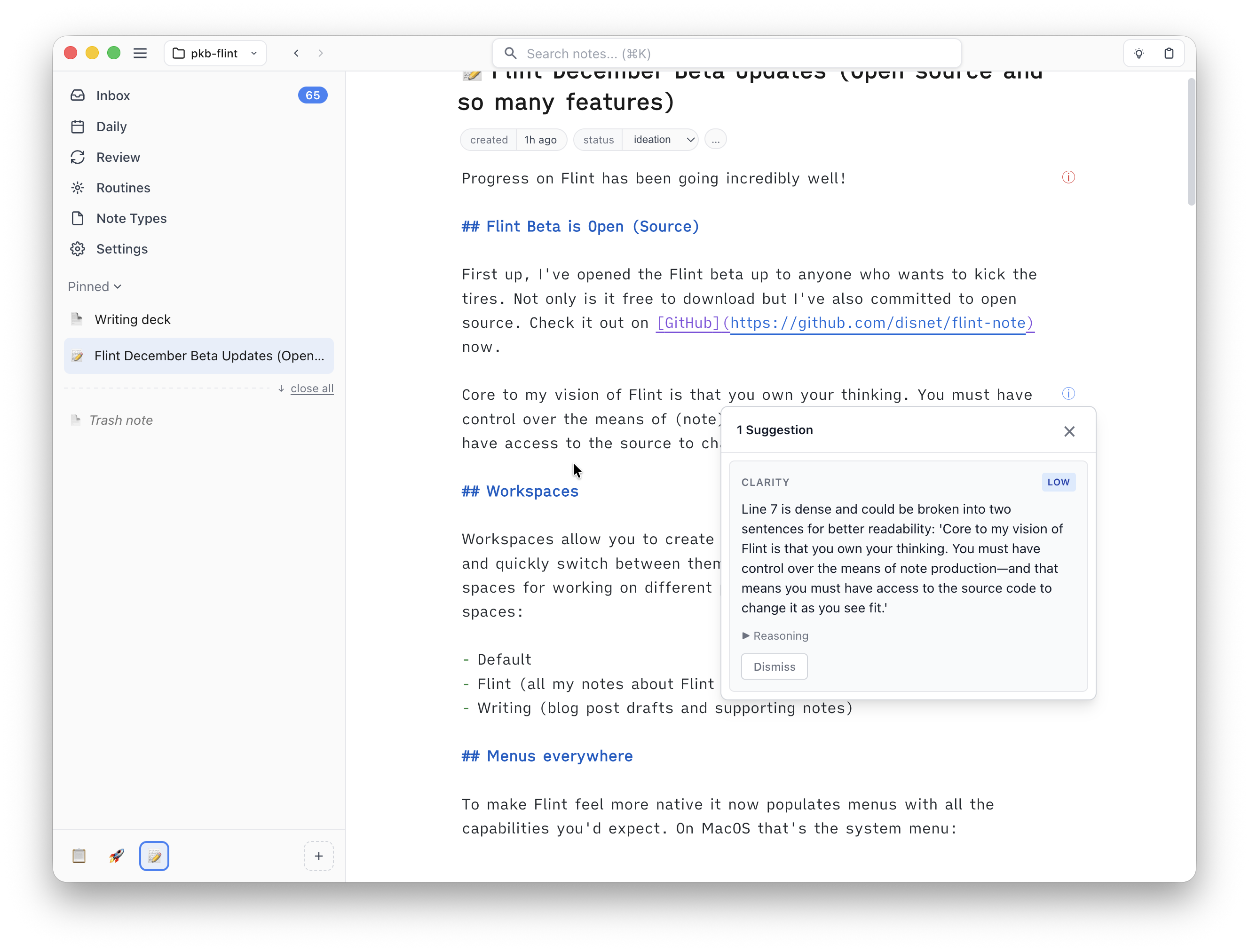
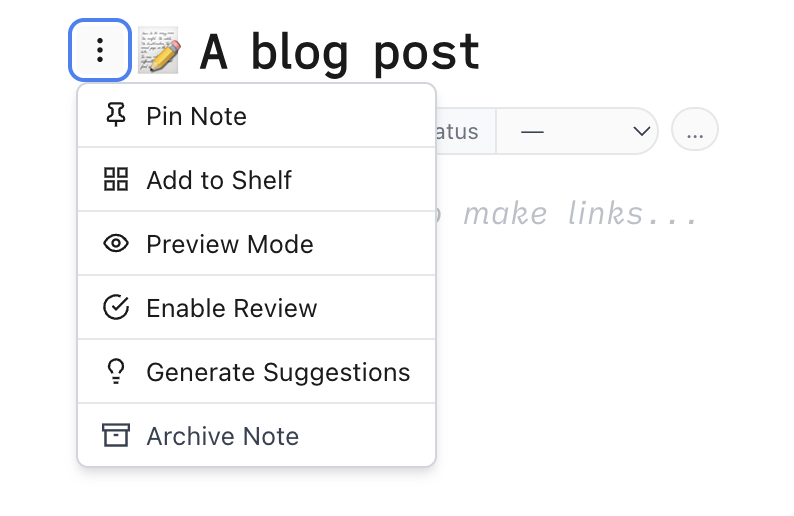
Suggestions are only generated on demand so you need to click the "Generate Suggestions" first to see them:
Next Up #
I've got big plans for more features as I work towards getting Flint ready for a 1.0 but the next few releases should be focused on polishing and responding to feedback. So try things out now and let me know how things are working (or not) for you.
We now have a bunch of places to drop feedback:
- GitHub issues for reporting bugs and discussions for general questions or suggestions
- Discord server
- Email: tim@flintnote.com
- Bluesky: @disnetdev.com
I'm excited to hear what you think!